Purupuru Maker use case
Product Wobble Animation
Subtle product motion can draw attention without turning a clean photograph into a novelty effect. This example animates only the translucent jelly while the plate, spoon, napkin, tabletop, and background remain stable.
Open Purupuru MakerThe animation goal
The source is an unbranded studio photograph with a centered coral jelly on a teal plate. The subject is ideal for local deformation because viewers expect gelatin to flex. The plate and spoon are rigid reference objects, so they should never be included in the painted mask.
For a packaged product, apply the same rule at a smaller scale: animate a soft illustration, splash, ribbon, or ingredient detail rather than the legal label, logo, barcode, seal, or package outline. Keeping factual and branded elements stable avoids making the product appear misprinted or misleading. Compare the source and loop at the same display size before publishing. The motion should emphasize material texture without implying that the package contains more product, uses a different ingredient, or performs in a way the real item does not.
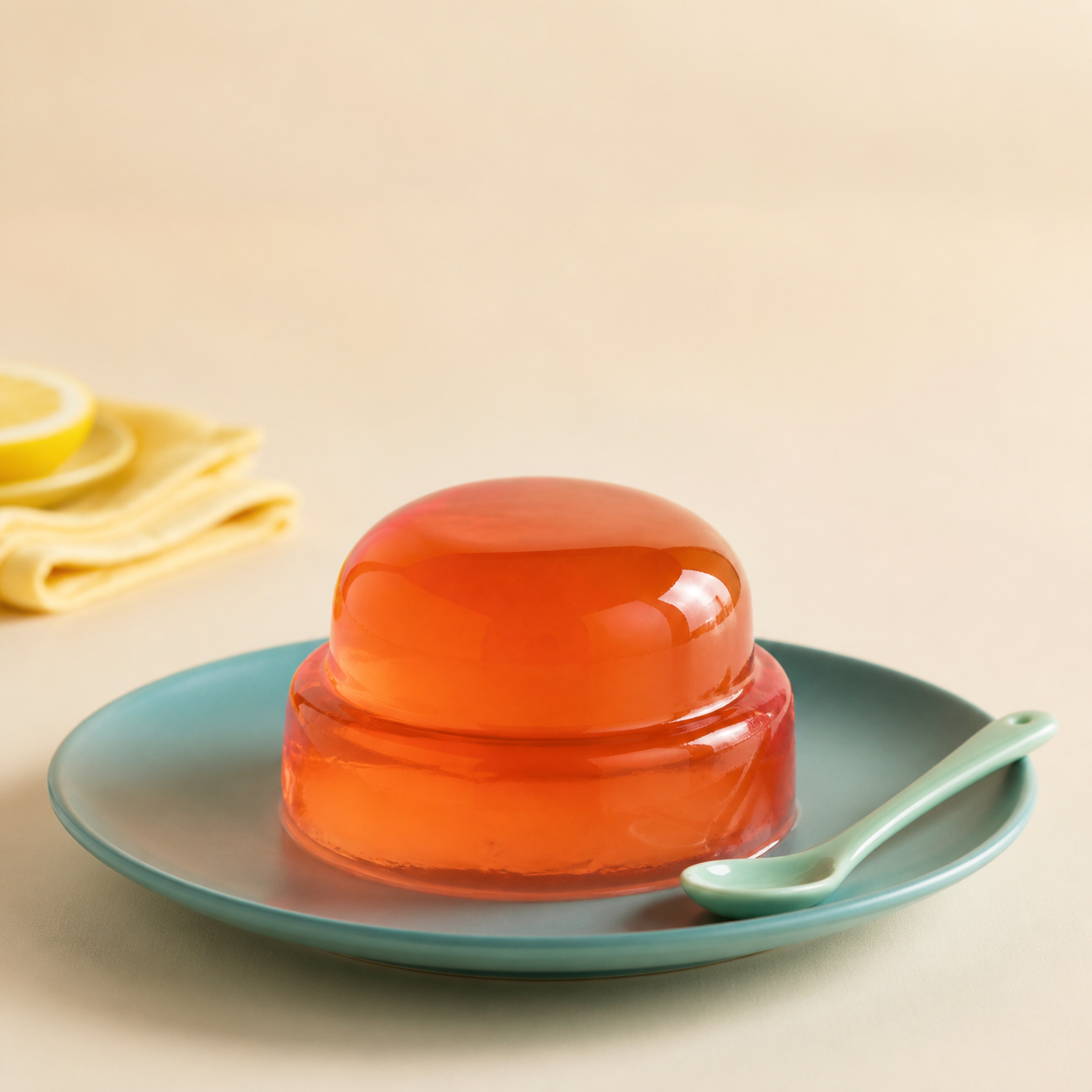
Paint this region
Fill the jelly from the top dome through the lower layer using overlapping horizontal strokes. Stop at the jelly edge and keep the plate rim, spoon, napkin, and cast shadows unpainted.
Recommended settings and why
| Control | Value | Why it works |
|---|---|---|
| Motion | Jelly | Jelly combines vertical compression with a small side sway suited to soft products. |
| Strength | 8px | Low strength preserves the product silhouette and realistic studio presentation. |
| Speed | 0.8× | A slower loop suggests weight and avoids a distracting advertisement-like bounce. |
| Edge feather | 10px | Feathering softens the transition at the translucent product boundary. |
Step-by-step workflow
- 01
Choose a truthful product image
Use a photograph you own or are authorized to edit. Do not use animation to imply a feature, quantity, or result the product does not have.
- 02
Separate rigid and soft materials
Identify the jelly as movable and the plate, spoon, label areas, and shadows as stable before placing the first brush stroke.
- 03
Fill the product carefully
Use overlapping horizontal strokes inside the jelly. Erase any mask that crosses the outer edge or reaches the plate.
- 04
Keep the preset restrained
Start with Jelly at 8px and 0.8×. Judge the product silhouette, reflected highlights, and contact point with the plate.
- 05
Export for the destination
Use GIF for a compact embed and WebM for smoother gradients. Confirm the platform does not crop the plate or overlay controls on the product.
Keep the rest of the image stable
- Keep labels, logos, barcodes, nutrition facts, and required disclosures entirely outside the mask so they remain accurate and readable.
- Do not paint the contact shadow or plate. Stable contact points prevent the object from appearing to levitate.
- Use the lowest strength that is visible at final display size. Product motion should attract attention without changing perceived shape or volume.
Troubleshooting this effect
The plate bends with the jelly.
Use Eraser around the bottom contour and lower the brush size. Leave a narrow unpainted band at the contact edge.
Highlights smear across the surface.
Reduce strength and feathering slightly. Strong displacement is especially obvious on sharp photographic reflections.
The product appears to change size.
Use Jelly instead of Pulse and keep the mask centered on the soft material. Pulse intentionally scales around the mask center.
Export and sharing advice
Use the GIF for lightweight editorial examples, but prefer WebM for a product page that supports video because gradients and reflections compress more cleanly.
Keep the unmodified source alongside the animation. Reviewers and collaborators should be able to compare the original product presentation with the motion treatment.
The source product photograph was generated as an original ChatGPT image for this guide. It contains no brand or packaging. The GIF was exported from the current Purupuru Maker editor.
Download this actual GIF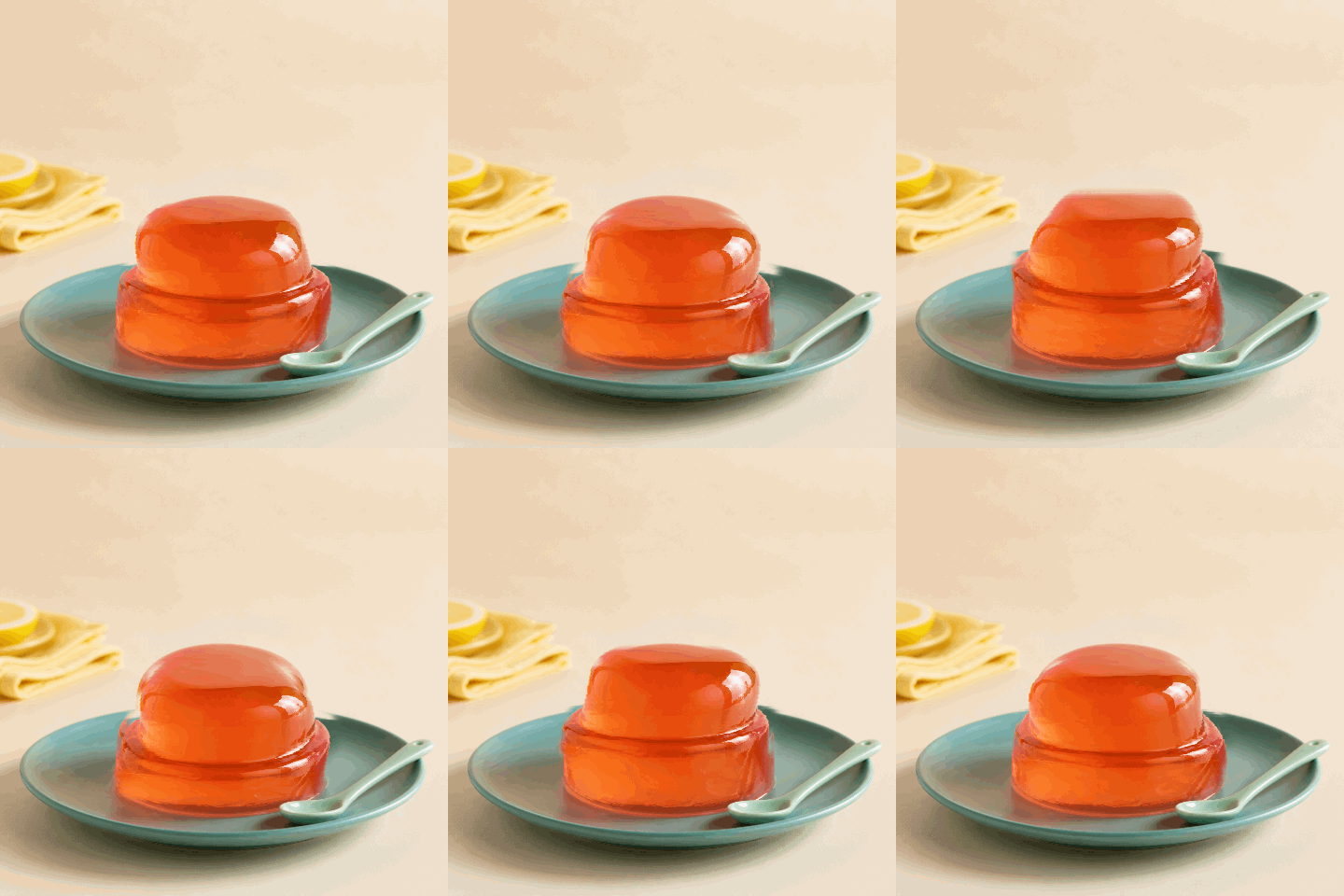
Questions about this use case
Can product labels be animated?
They can, but it is usually a poor choice. Stable labels remain readable and reduce the risk of changing required claims, marks, or package information.
Which product photos work best?
Use a simple background, a separated subject, soft material, and enough margin for movement. Busy shelves and overlapping products are harder to mask cleanly.
Does Purupuru Maker upload commercial images?
No. The source, mask, preview, and export are processed locally in the browser. Analytics and advertising must never receive image or export details.